The Exception management module helps business to manage and track exceptions or errors that arise during the creation of security master. It allows business users to monitor, investigate, and resolve exceptions, in turn handle issues efficiently and maintain data integrity. Business Users can access detailed information about exceptions to investigate the root cause and understand the context of the error. The Exception module typically includes the following features:
Exception Tracking: The module records and tracks exceptions that occur during data processing operations. This includes capturing relevant details such as exception type, time of occurrence, source, and any associated error messages or stack traces.
Analysis: This involves reviewing the source data, identifying data entry errors, or analyzing data transformation and mapping processes.
Resolution: Taking appropriate actions to resolve the exceptions. This can include making corrections, seeking clarification from data providers, performing data enrichment or normalization, or applying predefined business rules to resolve discrepancies.
Workflow: The will support customizable workflows to guide the resolution process. It enables users to assign exceptions to specific individuals or teams, track the status of each exception, and facilitate collaboration for troubleshooting and resolution.
Documentation: Documenting the exceptions, their resolution steps, and any changes made to ensure transparency and auditability.
Monitoring: Implementing ongoing monitoring mechanisms to track exceptions, identify patterns or trends, and improve data quality processes.
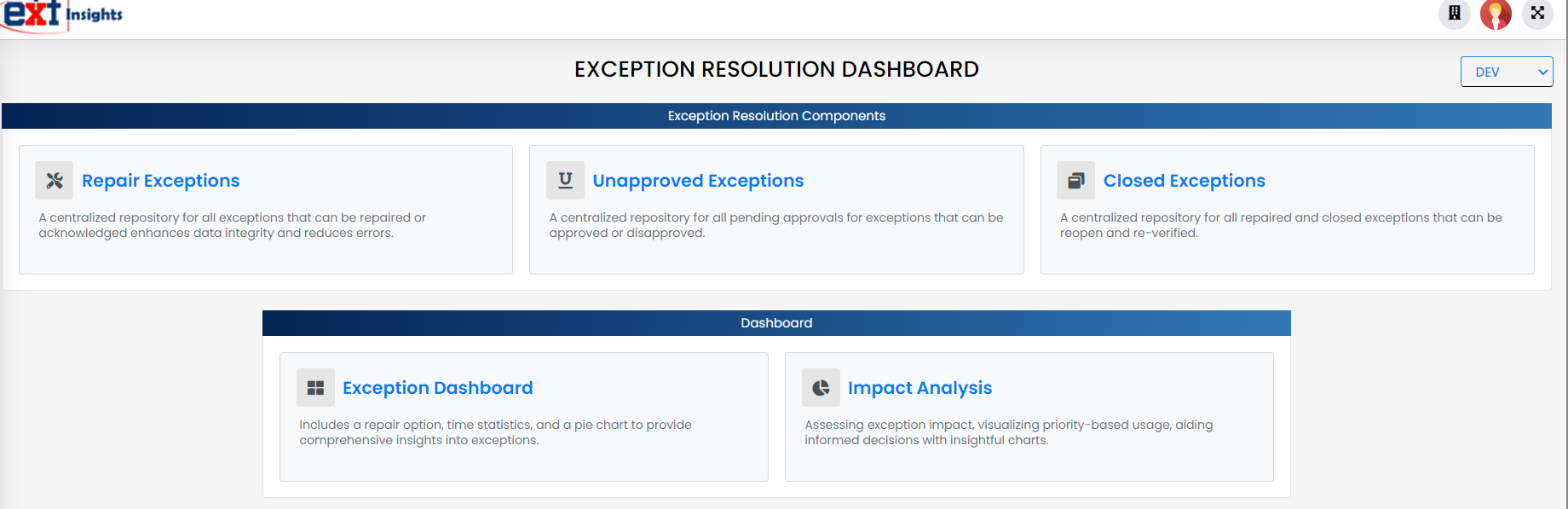
In the application, users have the ability to set up data quality rules that validates and standardizes data. However, failures can occur due to various reasons such as inconsistent data, changes in business rules, data violations, exceeding thresholds, conflicts with predefined constraints, and more. As a result, exception data is generated, and users are required to take appropriate actions. For these situations, the Repair Exception functionality is built. Business Users can access detailed information about exceptions to investigate the root cause and understand the error.
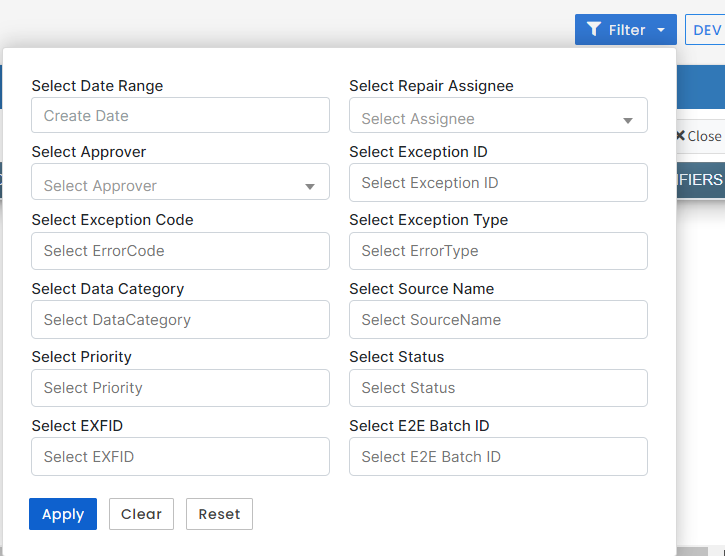
The Repair Exceptions page displays the Exception Data with key attributes like Exception Code, Exception Type, and Exception Description along with other details. The user can click the Home button to go back to the Repair Screen. The user can click the Filters button to filter the data on basis of date and various categories.
When user clicks on the Home button it is guided back to the Exception Management page.
When user clicks on the Filters button the list of options will appear as shown below.
The list of exceptions that are yet to be assessed, reviewed or resolved are listed in the Unapproved Exceptions list. This page provides all the details pertaining to the Exception with its Status, Assignee and Create Date.
The list of exceptions that are reviewed and resolved are listed in the Closed Exceptions list. The list provides all the details pertaining to the Exception with its Status, Assignee, Approver and Create Date.
The purpose of an Exception Dashboard is to enable efficient monitoring, tracking, and resolution of exceptions by the business users. It allows various stakeholders to gain insights into exception patterns, prioritize resolution efforts, and make data-driven decisions.
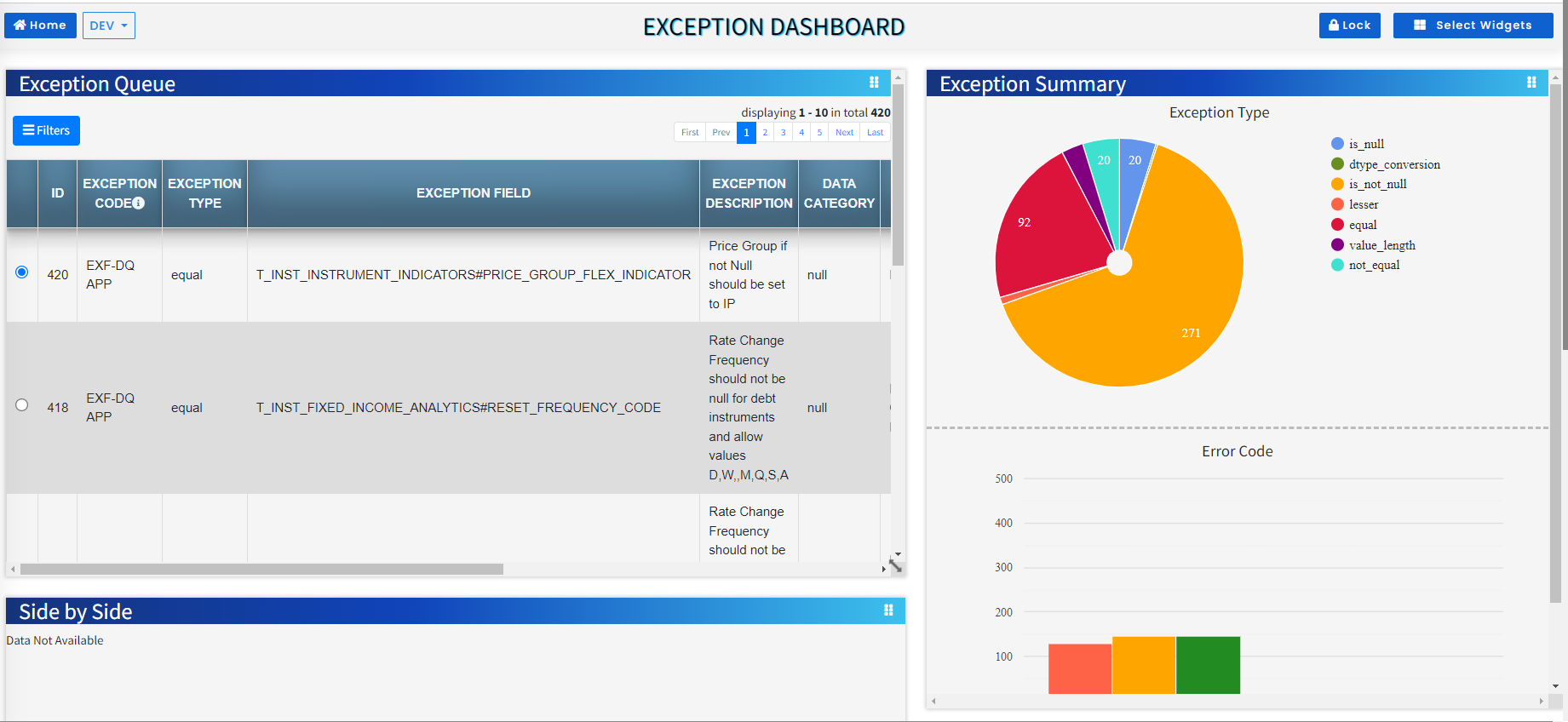
An Exception Dashboard is a visual representation of the exceptions or discrepancies identified during data processing. It provides an overview of the exceptions, their status, and related metrics in a consolidated and easy-to-understand format.
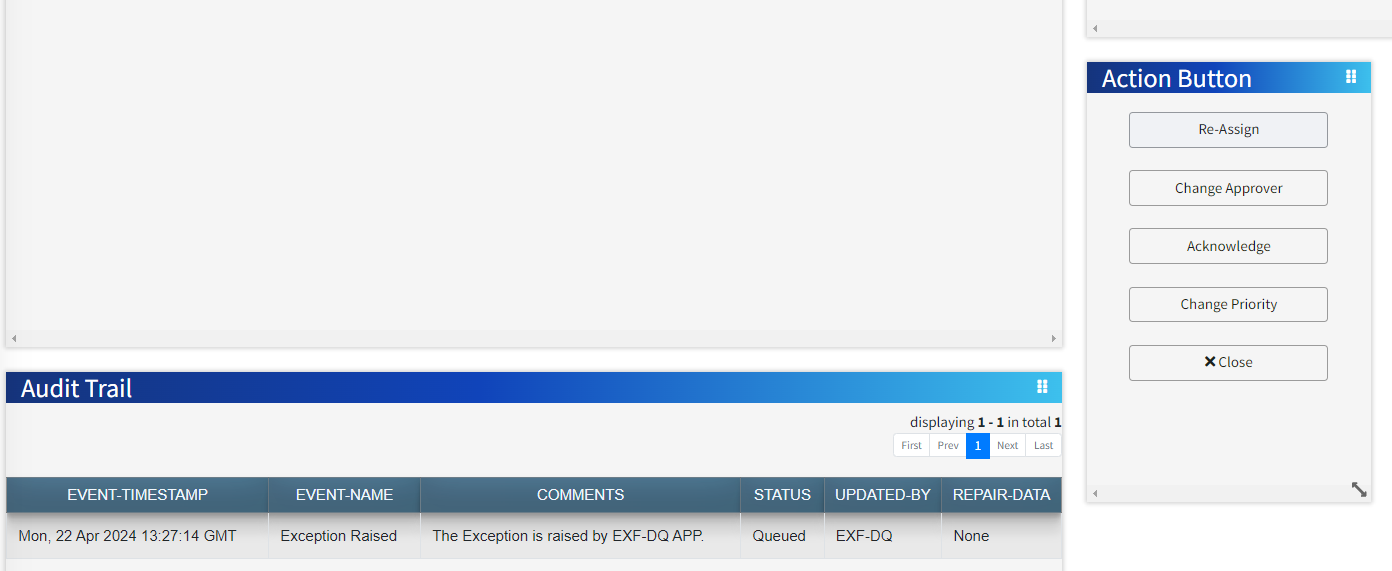
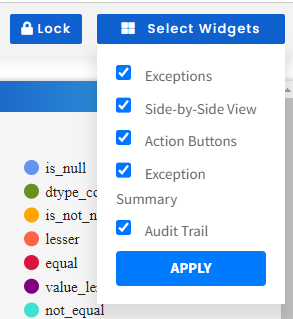
Exception dashboard includes the following Widgets:
Exception Queue - The ability to dive deeper into each exception type to explore specific details and take appropriate action.
Exception Summary - An overview of the total number of exceptions, categorized by type, providing a quick graphical snapshot of the current exception status.
Side by Side - This side by side widget gives the user, source wise view of the data attributes with Overwrite comments and details.
Audit Trail - This widget is a monitoring mechanism that tracks step by step updates of each Exception.
Action Button - This widget allows the user to take actions like Approve, Reject, Reassign, Change approver for the Exceptions.
The user has an option to select/deselect the Widgets to display and Lock screen. The Reset Screen option will reset the Widgets.
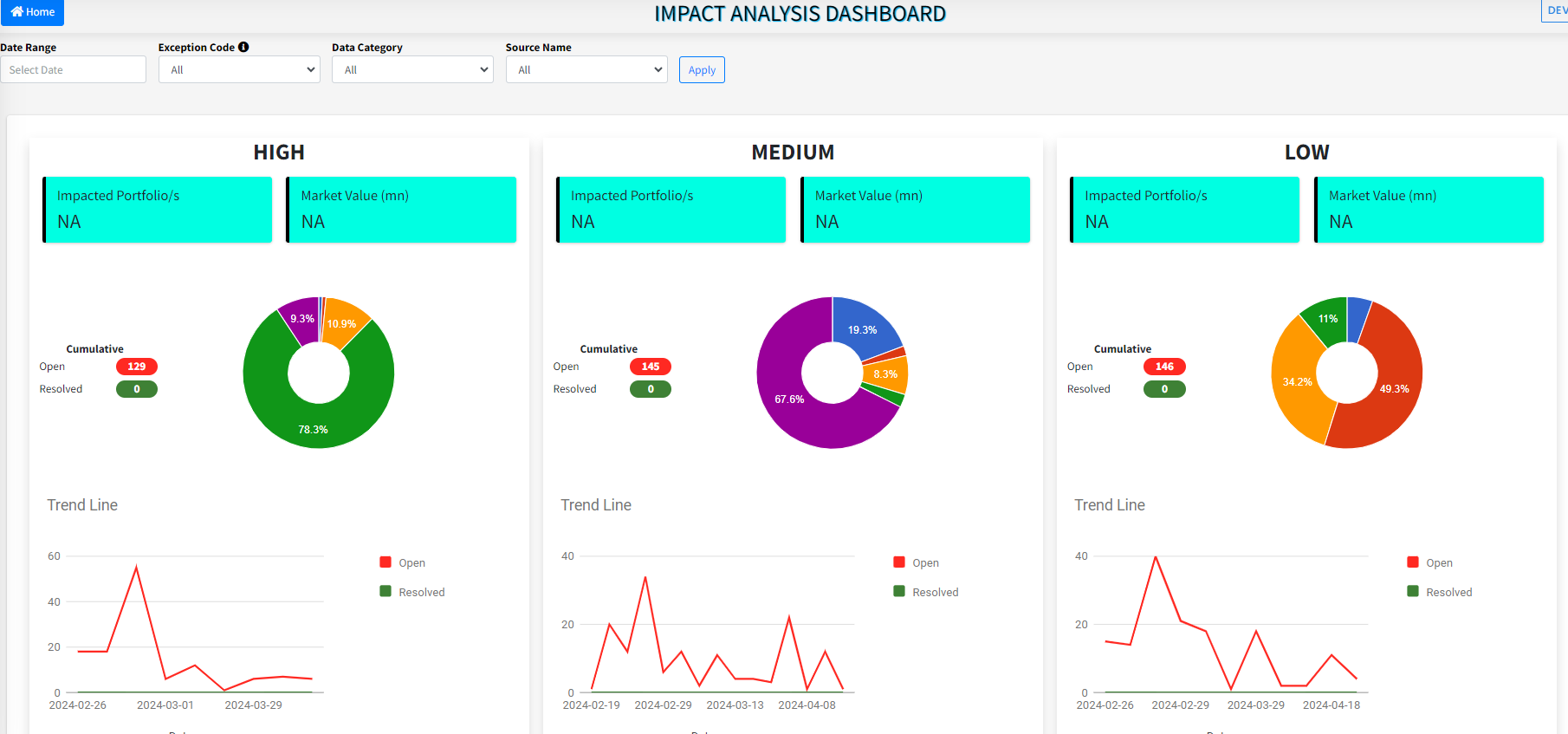
The impact analysis dashboard in Exception Management provides a graphical insight of the exceptions Portfolio wise, it's impacted dollar value and categorized priority wise. Each priority HIGH, MEDIUM and LOW will respectively display the number of Impacted Portfolios, its Market Value, resolved items and open items. The user can filter based on Date range, Exception Code, Data category and Source Name. The goal of this dashboard is to give business users the flexibility and a clear view to evaluate the impact analysis and grasp the severity and magnitude of the exceptions.
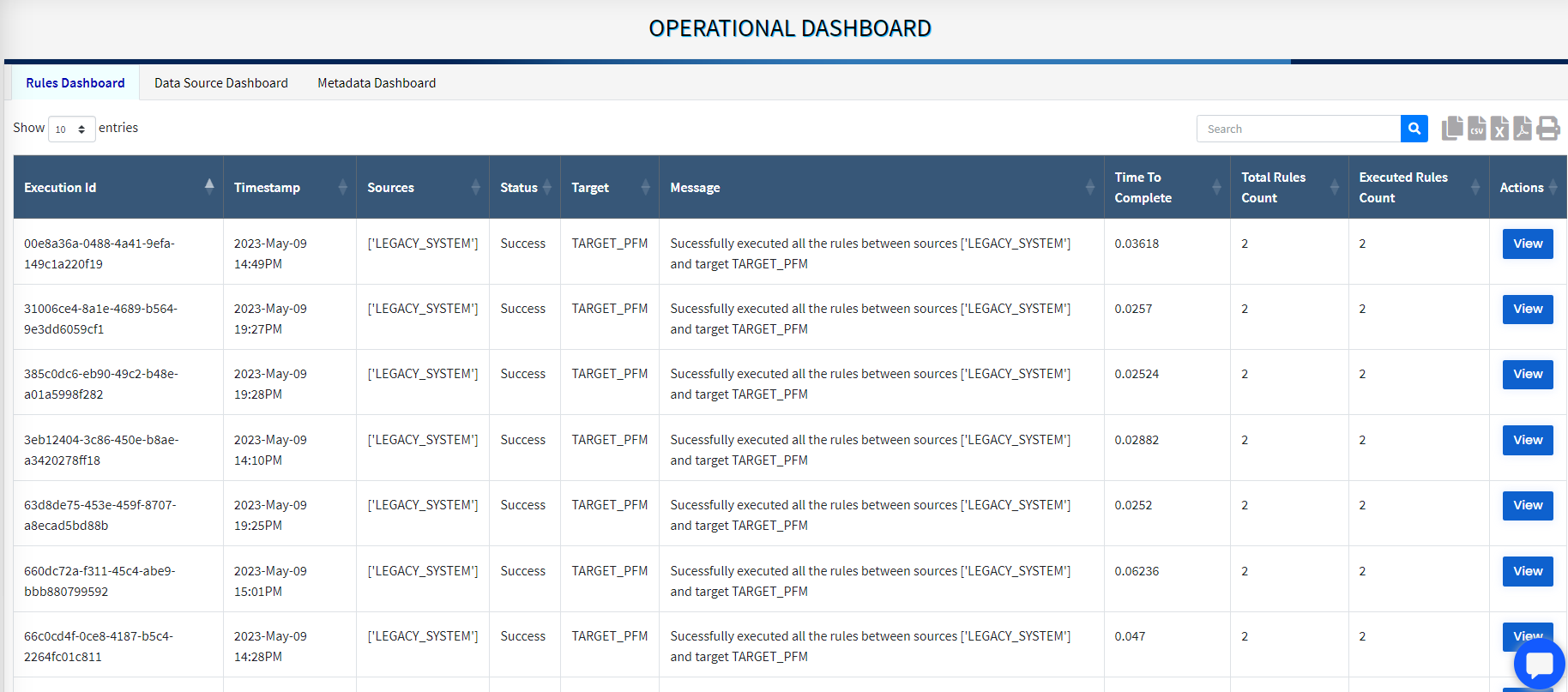
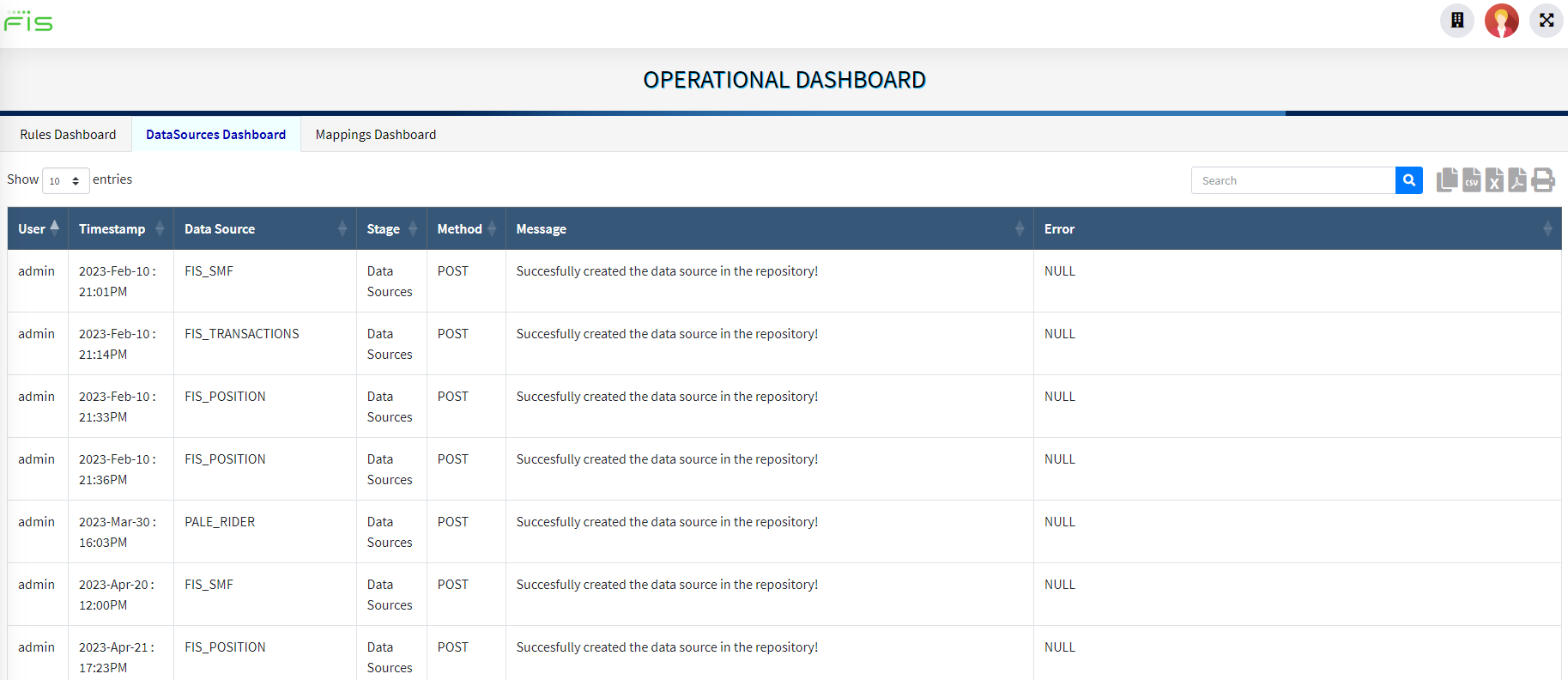
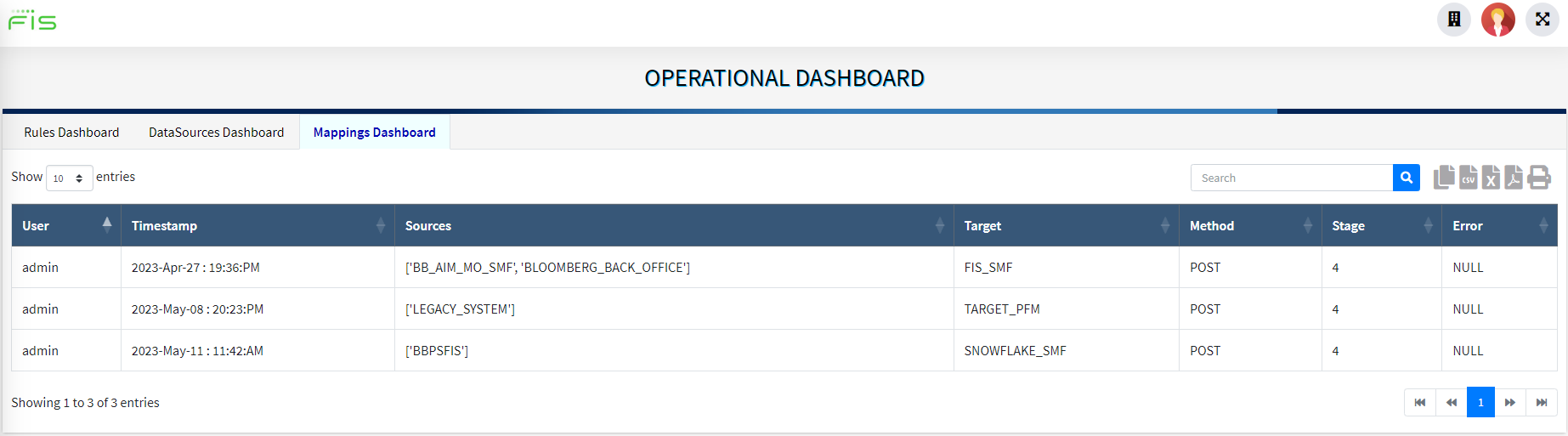
An Operational Dashboard gives an overview of the processes like Rules run, Data source creation, Metadata mapping by the user. It provides details along with the Timestamp, Status, Counts. It also displays Errors if any.
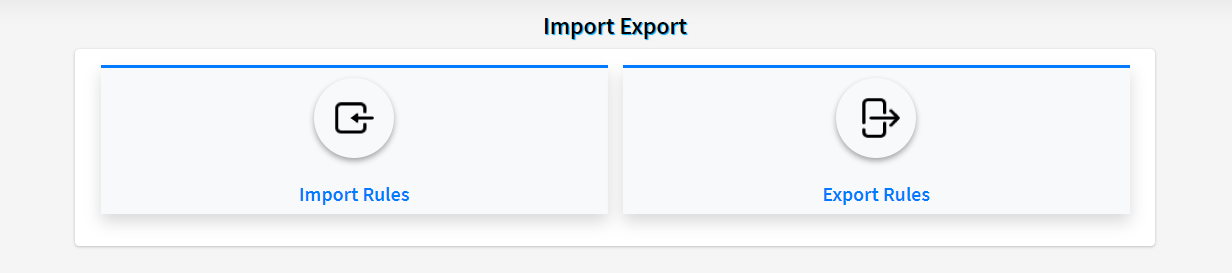
This feature enables the business user export standardized rules from one tenant to another. This will save time and effort of creating standard rules across similar Source and Target datasources. The prerequisite to use this feature is that the source and target metadata mapping has to be same.
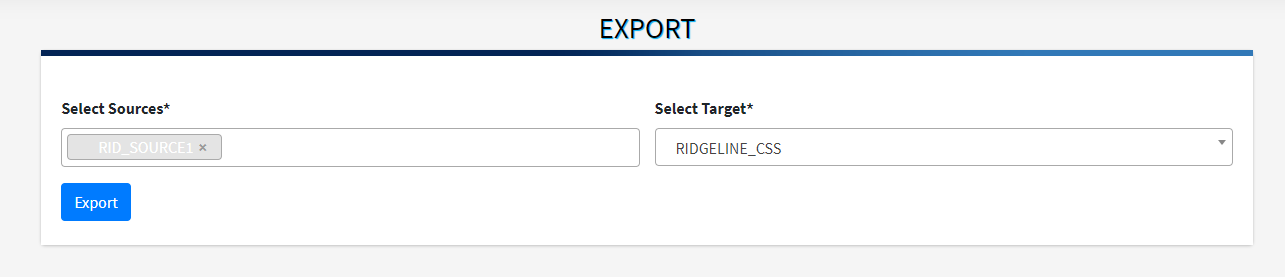
To Export the set of rules user will need to select the Export Rules option. On the Export page select the desired source and target sources and click the Export button. A file in a ‘json’ format is exported and saved on the system.
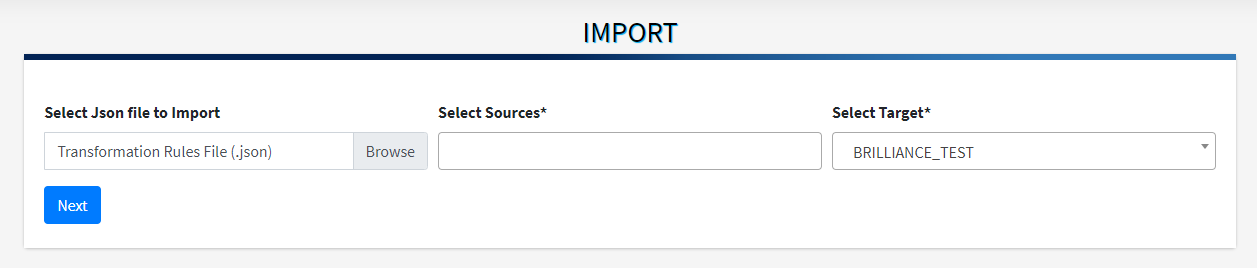
Now the user can use this ‘json’ file and import the rules for different set of source and target. On the Import page select the ‘json’ file, source and target and select Next. If a particular metadata is not present in the source it will give a warning message else the rules will be imported successfully.